
How to Share Baby Tracking With Your Partner or a Caregiver
“When did she last eat?” is probably the most-sent text between new parents. The night-shift handoff, the grandparent afternoon, the first day back at work: they all run on the same question. Shared tracking answers it before anyone has to ask.
What Partner Access does
Partner Access in Tiny Footprints connects another person’s account to your baby’s profile. Once they accept your invite, every feed, nap, nappy change, pumping session, and growth measurement syncs between your devices in real time. Whoever is holding the baby logs; everyone else just sees it.
Each person signs in with their own account on their own phone. There are no shared passwords and nothing to export or forward. And your subscription covers the baby profiles you share: a partner or grandparent can view and log for your baby without paying for anything. They would only need a subscription of their own if they wanted to create and track a separate baby or pregnancy profile themselves.
Setting it up
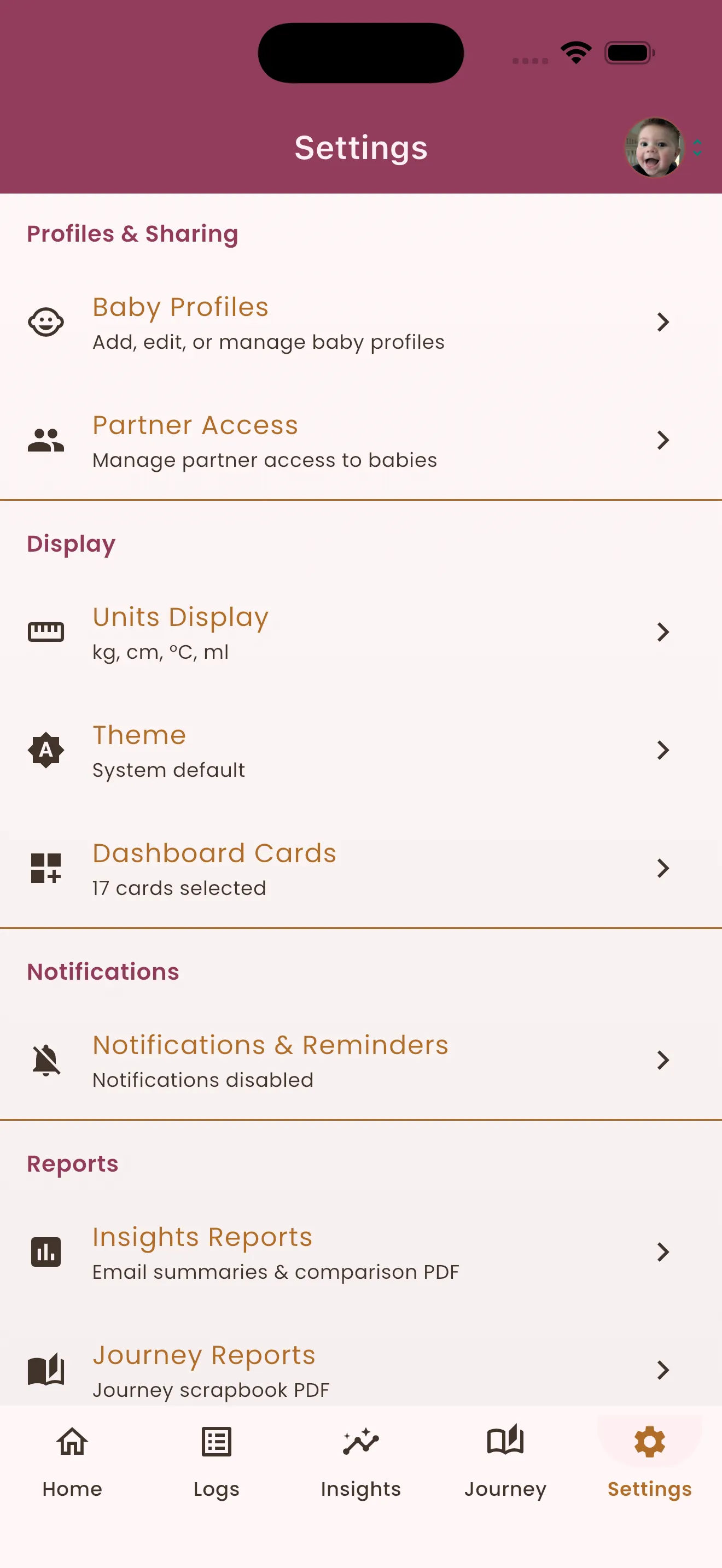
- Open Settings in the app.
- Tap Profiles & Sharing.
- Choose Partner Access and invite your partner or caregiver.
- Pick what they can do. You stay in control of the permission level for each person.
- They accept the invite on their device, and the shared profile appears in their app.
That is the whole setup. From then on, both dashboards show the same live timeline.
Choosing the right permission level
Not everyone needs the same access, so sharing is tiered:
- View suits someone who wants to follow along, like a grandparent checking in from another city.
- Log and edit is the co-parent setting. They can add feeds and naps, start and stop sleep timers, and fix typos.
- Delete is a separate permission, so day-to-day helpers cannot remove history by accident.
You can change or revoke a person’s access at any time from the same screen.
A few tips from shared households
- Log in the moment, not from memory. The whole point of sharing is that 3 a.m. details never need to be reconstructed at 8 a.m.
- Sharing covers every baby profile you choose. If you have more than one child, you decide per profile who sees what.
- The home widget helps the off-duty parent too. The last feed and next-nap countdown are visible without even opening the app.
Why it matters more than it seems
Shared tracking is not really about data. It means the parent who slept can take over seamlessly, the parent who was up all night can actually rest, and nobody is the single point of failure for remembering which side the last nursing session started on. Small thing, big difference at 2 a.m.
There is a sweeter side effect too: the log becomes a shared story. The grandparent who noted Tuesday’s bottle is part of the record, and a first-steps milestone lands on everyone’s timeline the moment it happens. Every precious moment gets captured by whoever was lucky enough to be holding the baby.